Pages

Wednesday, November 26, 2008

E-mail Questionaire from one of my groups hehe

Welcome to the Christmas edition of getting to know your friends. Okay, here's what you're supposed to do, and try not to be a SCROOGE!!! Just copy (not forward) this entire email and paste into a new e-mail that you can send. Change all the answers so that they apply to you. Then send this to a whole bunch of people you know, INCLUDING the person that sent it to you......Tis the Season to be NICE!
1. Wrapping paper or gift bags? Wrapping paper
2. Real tree or Artificial? Real but we own a artificial, saves some money each year
3. When do you put up the tree? we try to right after Thanksgiving
4. When do you take the tree down? Sometime in January
5. Do you like eggnog? yes
6. Favourite gift received as a child? some of my Mom's Breyer Horses she passed down from when she was a child
7. Hardest person to buy for? Hubby
8. Easiest person to buy for? that is hard to say ummmmm....
9. Do you have a nativity scene? yes
10. Mail or email Christmas cards? mail
11. Worst Christmas gift you ever received? don't recall
12. Favorite Christmas Movie? I LOVE many of the children's Christmas movies -I can't say I have a favorite.
13. When do you start shopping for Christmas? Usually on my or around my birthday in July. I like the idea of getting gifts and beginning to buy gifts for everyone else.
14. Have you ever recycled a Christmas present? Yes, once
15. Favorite thing to eat at Christmas? Chocolate Covered Cherry Cookies which I haven't had since before I moved out of my mom house lol
16. Lights on the tree? Yes
17. Favorite Christmas song? I don't have a 'favorite'
18. Travel at Christmas or stay home? travel
19. Can you name all of Santa's reindeer? YES, but then you would not have to know, would you ? LOL
20. Angel on the tree top or a star? Angel
21. Open the presents Christmas Eve or morning? Christmas morning
22. Most annoying thing about this time of the year? the commercialism!
23. Favorite ornament theme or colour? A dragon ornament that was bought at Ray's brother's shop the year before he passed away.
4. Favourite food for Christmas dinner? Turkey
25. What do you want for Christmas this year? For everything to work out with the house we are getting built and for Juliana NOT to be born until January (closer to her due date).
26. Who is most likely to respond to this? Who knows

Wednesday, November 19, 2008

"House: MD" on You Tube

One of my favorite shows is "House." Check out what I found today:

interview by David Letterman

Casting for "House"

The Late Show

25 Facts about Being Hugh Laurie

What We Did Yesterday

Yesterday Ray was off work, so it gave us a chance to get the deed to the land switched over into our names. We still have a few more things to get done before Jim Walter's can start construction on the house, but we are at least one step closer. For those who are unaware, click HERE to see the house we are getting built here in Morgan City.

Afterwords, we took Ray's Dad out to eat at Copeland's (in Houma) and had the $7.99 plate of Andouille Sausage, Red Beans and Rice. OMG it is sooooooo good. We figure we would go one more time while we have the chance because it may be a while after Juliana is born LOL.

Then we went to Micheal's and Hobby Lobby's looking for just the crystals for a "Makit, Bakit" suncatcher turtle Ray brought for me to make for Juliana. We had no such luck. I guess it is time to look on E-bay lol. I use to LOVE doing these as a kid, I just wish they would make some 'bigger" suncatchers for adults.

We got home about 7:00 CT. Ray and I laid down in the bedroom to watch a movie shorty after we got home. We hadn't done that in a while either, so it was nice.

Well anyway, I need to go take a nap. Between yesterday and getting up at 6:00 AM CT this morning I am tired again. See you guys in a couple hours hehe.
HUGS StarLady

Saturday, November 15, 2008

Hellboy II: The Golden Army

"Dirty Dancing" it is one of my favorite movies of all time, but my favorite part of the entire movie is the end lol. Click HERE to see the video of the song hehe.

Right after watching "Dirty Dancing" on Showtime "Freedom Writers" has come on. It is a really good movie and is based on a true story about a real teacher. We also own a copy of it as well.

Speaking of movies the Netflix movie I just sent back today was "Hellboy II: The Golden Army" If you can get passed the first 20 minutes, it is actually a pretty good movie. Even though it isn't as good as "Hellboy" in many of ways; it is still worth seeing. At least all the important actors/characters are re-introduced. Not to mention many of the scenes are well worth seeing. The graphics are awesome!! All in all, I don't think I will be buying this one anytime soon. Personally I do not think it is worth spending $20.00 on.

Birthday gift and More Baby Clothes...

Hello all,

Not a whole lot went on today. After Ray got off work we were suppose to go to a car show and would have had some pictures for you guys. Sadly, the car show was over by the time Ray got off work. So instead Ray changed the oil in the car lol.

After he got done with that we went over to Ray's co-workers house to give her daughter a birthday gift we had gotten for her yesterday. We planned on going over there just to drop it off, but ended up staying for about two hours talking. It was nice to sit around talking with Alison and her husband.

Oh speaking of one of Ray's co-workers, another friend of Ray's sent him home with a big box full of baby clothes ranging from newborn to 18 months, and 5 more blankets LOL.

Geesh it really cooled off today. It was nice until the sun went down and the wind started picking up. When we got back from Alison's house it was 54 degrees which isn't that bad except for the wind. I looked just now and it is 48. Going to be sleeping with the heater on tonight lol.

We now watching "Dirty Dancing." It is one of my favorite movies of all time, but my favorite part of the entire movie is the end lol. Click HERE to see the video of the song hehe.

Friday, November 14, 2008

Julian Beever's Sidewalk Chalk Drawings

Some of you may have gotten an e-mail from me today called "More Amazing Sidewalk Chalk Drawings". These drawings are all done by Juian Beever.

Here are a few YouTube links to more of of his AWESOME artwork!

Click HERE
Click HERE
There are a few 'new' ones in the link below
Click HERE
Below is a link to how he did one of his drawings.
Click HERE

On YouTube I cannot seem to find anymore "new" drawings, but you can search for "Juliana Beever."

I did a Google search for his images.
Click HERE for the first page of images.

Slide show ect

If it isn't one thing it is another geesh lol. This week has not been one of the best for me.

On top of that fact, slide.com is not allowing me to sign in much less update the Tag Tutorial slide show I have at the bottom of the blog. I am able to put in my user name and password in, but I click "sign in" NOTHING happens what-so-ever, and I cannot find anywhere to contact anyone......

Actually I take it back, I just figured out what the problem was, although the problem makes no sense I was able to finally fix the slide show.

My yahoo e-mail is on the frizz. When I login not all of e-mails will load and the ones that do I cannot get them to load to read them.

Most of the e-mails in my yahoo groups are being "eaten" by the "yahoo monsters" off and on this last week .

My Google Bookmarks are on the frizz as well. I am praying that Google is just working on the toolbar. I guess if the bookmarks don't come back I will take out and reload the Google Toolbar in a couple of days. Maybe that will work. There isn't anything I can think of on the bookmarks that I can't get to on my own, but the bookmarks make things much quicker. If Google has dumped all of my bookmarks it will SUCK trying to get all of the links back!

My Pregnancy Ticker was not showing up on the blog for a lil' while last night. Maybe that site was being worked on too or blogger was being worked on. I don't know, but I am glad it is back as of this morning when I checked.

Also, for about the last week, up until just a few minutes ago I have been unable to post tags from my photobucket account to the PSP YUKU group I am in. ugh.

On a more positive note my Dad has decided to send us some money for buying the stroller/car seat combo we want for Juliana as his gift to us/her. :) WOOHOO!

...anyway getting down off the soapbox now.

I hope everyone has had a better week then me! :) HUGS StarLady

Thursday, November 13, 2008

Al Rio Gift Wrapped


Click on tag to see full size
This tutorial is written for those with working knowledge of PSP.

I used PSP 9 for this tutorial, but it could be done with other versions I'm sure.
~Supplies you will need~

Supplies HERE

4 Tubes of choice – I used the awesome work of Al Rio. Please do not use his work without a license from C.I.L.M .

Free “Christmas Around the World Kit” by Voodoo- Thanks darlin’!!

2 Free kits “SE Weekend Freebie 110607” & “SE Love” by Melissa -Thanks darlin’!!

Plug-in – Alien Skin Xenofex 2 > Rip Open

Eye Candy 4000 > Gradient Glow (optional –used on my name)

Font of choice - I used "Frosty"

~Okay Let’s get started~

Don’t forget to rename layers as you go
You might want to Adjust > Sharpen after you resize anything you need to.
Open a paper –I used “paper 12” (we will resize later)
Material Palette > Background-set the same paper as a Pattern, Foreground-choose a color that matches the paper and/or tubes you will use
On the top left of the tag draw out a nice size square, Layers > Duplicate 2 times, position both one under the other on the left
Grab the Rectangle Selection tool, select inside the diamond line style of the top square
Copy and paste a tube as a New Layer, position over the square as you choose, Selections > Invert > Hit Delete on your keyboard
Move the tube layer under the top square layer, Activate top square layer, Effects >Alien Xenofex 2 >Rip Open
Repeat the above for the other 2 squares.
X-out the Background Layer, Merge > Merge Visible (merging all the squares & tubes together), Add a drop shadow – V,H, (-5), Opacity 40, Blur 5, Color –Black, Un-X the Background layer
Grab the Rectangle Pre-set Shape Tool, Draw out a big rectangle, Convert it to a Raster
Copy, paste & position a tube over the rectangle, Layers Duplicate the tube 1 time
X-out the “copy” of the tube
Grab the Rectangle selection tool again, select inside the diamond line style of the rectangle, Select the original tube layer, Selections > Invert > Hit Delete on your keyboard
Move the tube layer under the Rectangle layer
Un-X the “copy” of tube layer, using the Freehand Selection Tool select all the parts of the tube that you do not want to stick out. Hit Delete on your keyboard
Open the “Weekend Freebie Kit, “ Grab the SE_IBelieve Beaded Ribbon, Image > Rotate > Free Rotate > 45 Left, Position as you choose on the tag, Adjust > Sharpness > Sharpen
While still on the Beaded Ribbon layer -Grab the Rectangle Selection Tool > select inside the diamond line style of the rectangle > Selections > Invert > Hit Delete on your keyboard
To get rid of any extra ribbon “sticking out” over the ripped parts of the rectangle use the Freehand Selection tool > Hit delete on you keyboard
From the “SE Love” kit –Grab the “SE_Love_Bow” & position where you choose on the “Beaded Ribbon”
X-out the Background layer & Squares layer, Merge > Merge Visible (everything to do with the rectangle), Add the same drop shadow as before
You should now only have 3 layers from top to bottom- “Rectangle” layer, “Squares” layer & the “Background” layer
Image > Resize ALL 80%
Add all copyright credits
Image > Add Border -color>Red >border size 2-Symmetric Checked (will also merge all layers on the layer palette)
Save the Blank as a JPEG
Go back –add any text, Save As again

DONE I hope you enjoyed this tut.
If you have any problems please feel free to e-mail me at: starladystudio@bellsouth.net
HUGS StarLady

Wednesday, November 12, 2008

My Little Pony Movies

I also found:

1. My Little Pony: The Movie
Click - Part 1
Click - Part 2
Click - Part 3
Click - Part 4
Click - Part 5
Click - Part 6
Click - Part 7
Click - Part 8
Click- Part 9
Click- Part 10
For More Information on this movie click HERE

2. End of Flutter Valley (I remember having this on VHS)
Click- Part 1
Click- Part 2
Click- Part 3
Click- Part 4
Click- Part 5
Click- Part 6
Click- Part 7
Click- Part 8
Click- Part 9
Click- Part 10
I am assuming there was no credits added to the end of the movie, due to it not originally being a movie maybe?
Strangely I cannot find any information on Internet Movie Database but click HERE .

3. Firefly's Adventure: Rescue At Midnight Castle (I remember having this on VHS)
Click- Part 1
Click- Part 2
Click- Part 3

Click HERE to remember the Theme Song

Care Bears Shows

I had seen these as a kid, but had forgotten about them.
1. Care Bears: Land Without Feelings (The very first show on T.V.)
Click -Part 1
Click -Part 2
Click- Part 3

2. The Care Bear Family :Long Lost Care Bears
Click -Part 1
Click -Part 2
Click -Part 3

There are a BUNCH of the classic Care Bear cartoons on YouTube all you have to do is go to http://www.youtube.com/ and search for Care Bears. I much rather the classic cartoons over the computer generated ones of today.

Care Bears the Movies

I found the whole movie on YouTube. They are all done in 10 minute parts, but the whole movie is there. I hope when the time comes Juliana will enjoy the Care Bears as much as I did when I was a kid.
1. Care Bears the Movie
Click -Part 1
Click- Part 2
Click- Part 3
Click- Part 4
Click- Part 5
Click- Part 6
Click- Part 7
Click- Part 8
For more information on the movie click HERE

2. Care Bears the Movie II: A New Generation
As a kid I never realized that Movie 2 does not follow the first in the least. It is still a cute movie though.
Click- Part 1
Click- Part 2
Click- Part 3
Click- Part 4
Click- Part 5
Click- Part 6
Click- Part 7
Click- Part 8
Click- Part 9
For more information about the movie click HERE

3. Care Bears in Adventures in Wonderland
Click- Part 1
Click- Part 2
Click- Part 3
Click- Part 4
Click- Part 5
Click- Part 6
Click- Part 7
Click- Part 8
For more information about the movie click HERE

4. Care Bears: The Nutcracker Suite (This is one my favorites, and the last movie of the 1980's)
Click - Part 1
Click - Part 2
Click - Part 3
Click - Part 4
Click - Part 5
Click - Part 6
Click - Part 7
For more information about the movie click HERE


Tuesday, November 11, 2008

Lifetime Friend E-mail

I have always loved this and it couldn't have come at a better time. HUGS to the one who sent it to me!
I am also putting this here for all of my family and friends to read, because at the end of the original e-mail it ends up being a chain letter, and I do not like sending out chain letters. :)

People come into your life for a reason,
a season or a lifetime.

When you know which one it is, you will know what to do for that person.

When someone is in your life for a REASON,
it is usually to meet a need you have expressed.

They have come to assist you through a difficulty,
to provide you with guidance and support,

To aid you physically, emotionally or spiritually.
They may seem like a godsend and they are.

They are there for the reason you need them to be.

Then, without any wrongdoing on your part or at an inconvenient time,

This person will say or do something to bring the relationship to an end.

Sometimes they die. Sometimes they walk away.

Sometimes they act up and force you to take a stand.

What we must realize is that our need has been met,
our desire fulfilled, their work is done.

The prayer you sent up has been answered and now it is time to move on.

Some people come into your life for a SEASON,

because your turn has come to share, grow or learn.

They bring you an experience of peace or make you laugh.

They may teach you something you have never done.

They usually give you an unbelievable amount of joy.

Believe it, it is real. But only for a season.

LIFETIME relationships teach you lifetime lessons,

Things you must build upon in order to have a soli d emotional foundation.

Your job is to accept the lesson,

Love the person and put what you have learned to use in all other relationships and areas of your life

It is said that love is blind but friendship is clairvoyant

Thank you for being a part of my life,

Whether you were a reason, a season or a lifetime.

Monday, November 10, 2008

How to make Stickers for tags


Click on image to see full size
This tutorial is written for those with working knowledge of PSP.

I used PSP 9 for this tutorial, but it could be done with other versions I'm sure.
~Supplies you will need~

Tubes of choice – I used the awesome work of Al Rio. Please do not use his work without a license from C.I.L.M .

~Okay Let’s get started~
You might want to Adjust > Sharpen after you resize anything you need to.
Open a 600 x 600 transparent image to store them on
Flood Fill with white –set aside
To make a “sticker look” to each tube you use.
Pick 1 tube – Window > Duplicate –close the original tube.
Image > Canvas Size > change to 700 X 700 (just so you know you have enough room to work with lol)
Selections > Select All > Float > Defloat
Selections > Modify > Expand by 2
Add a New Raster layer and pull below tube layer, Flood Fill- Black INSIDE the ants (DO NOT Deselect)
Selections > Modify > Expand by 8
Add a New Raster layer and pull below the black layer you just made, Flood Fill- White INSIDE the ants
Selections > Select None
Merge > Merge Visible
Copy and paste onto white canvas
Effects > 3-D Effects > Inner Bevel –settings:
Bevel: shape 2, Width 20, Image Smooth 22, Depth 5, Ambience (-5), Shininess 36, Angle 319, Intensity 36, Elevation 45, Color-White,
Add a drop shadow-settings: V, H (-5), Opacity 40, Blur 5, Color-Black
Repeat until your heart’s content.

Save as a PSP Image so everything is saved as layers

DONE I hope you enjoyed this tut
If you have any problems please feel free to e-mail me at: starladystudio@bellsouth.net
HUGS StarLady

Sunday, November 9, 2008

Funeral

The boy that got killed by his step-dad (Ray's co-worker's cousin)...his funeral was on Thursday. If you did not read about it before click HERE. There were so many in attendance that the city's auditorium was rented for the funeral. All the Morgan City Highschoolers were automatically excused for missing that day. Apparently, he was an awesome football player and loved by all. I only wish I had had the opportunity to have known him.

As it sits right now, everyone is worried that out of fear the boy's mom will side with his step-dad in court. Well, what I found out yesterday was that the boy's 13 year old sister was in the car that night as well. Apparently, that night they DID get the boy to the hospital, the doctors tried everything, but in the end there was no more to be done. His sister stayed with his body for 3 hours, because she refused to leave him. Everyone is pretty hopeful that she will testify against her step-dad. This is one of the most horrible things I have heard this close to home.

Saturday, November 8, 2008

Rummage Sale Today

In a lil' while Gina is coming to pick me up. Her,Kirstin, (her daughter) her dad and I are going to a huge rummage sale at the St. Bernadette Church in Bayou Vista (just across the bridge from Morgan City). Every year or two around this time the church does this. I know last time we went they had room full of baby stuff. I am going to see if I can find anything for Juliana. Last time they only charged $2.00 for everything you could put in a big brown paper bag, so what the heck it is worth a shot. It will run from 7:00 AM -1:00 PM CT. With the way everything usually goes when I am with Gina I will be surprised if I beat Ray home at about 3:30 today lol. At least we all usually have a good time. :)

Thursday, November 6, 2008

" Paintings" from a Typewriter

I just got an amazing e-mail from a friend of mine in one of my graphics groups.

Paul Smith :

He lived at Rose Haven Nursing Home (Roseburg, OR) for years.

Paul Smith, the man with extraordinary talent was born in Philadelphia on September 21, 1921 with severe cerebral palsy.
Not only had Paul beaten the odds of a life with spastic cerebral palsy, a disability that impeded his speech & mobility but also taught himself to become a master artist as well as a terrific chess player even after being devoid of a formal education as a child.
"When typing, Paul used his left hand to steady his right one. Since he couldn't press two keys at the same time, he almost always locked the shift key down and made his pictures using the symbols at the top of the number keys. In other words, his pictures were based on these characters ..... @ # $ % ^ & * ( ) _ .
Across seven decades, Paul created hundreds of pictures. He often gave the originals away. Sometimes, but not always, he kept or received a copy for his own records.
As his mastery of the typewriter grew, he developed techniques to create shadings, colors, and textures that made his work resemble pencil or charcoal drawings."
This great man passed away on June 25, 2007, but left behind a collection of his amazing artwork that will be an inspiration for many.

These pictures are unbelievable. Strange we should just now be hearing about him. Hope you enjoy them as much as I did.

Typewriter Art

Can you believe that this art was created using a typewriter?

Here are a few YouTube links that tell a bit more about him, his gift and of course shows many of his works of art. The last link shows all the pictures that I was unable to retrieve from the e-mail I received and many more.

Click HERE
Click HERE This link tells that Paul Smith was born with "Spastic Paraltsis" I wasn't sure if that had anything to do with Cerebral Palsy and apparently it does. You can read a small article HERE.
Click HERE
Click HERE
Enjoy! HUGS StarLady

Charlotte's Web ; The Final Season

I just got finished watching the live action "Charlotte's Web." I have to say it was not as bad as I thought it would be. Personally, it is a movie for young children and no one else. The animals were cute and Charlotte was pretty neat looking, I will give the director that. Even though there is an award winning cast, I much rather the classic original cartoon movie over this one by far. Of course, the book rules them all, but that is another thing altogether.

Before watching "Charlotte's Web" I was able watch most of "The Final Season" while doing some "chores" around the house. I really liked the movie from what I saw of it and would love to finish watching it, but it doesn't seem to be coming on again today or this week.

I stopped watching "The Final Season" to watch "Charlotte's Web" because I figured I would never waste money renting "Charlotte's Web," but I would gladly rent "The Final Season" from Netflix if I need to. So, in someways I am glad it worked out the way it did.

As I am typing this I am watching "Back to the Future: Part III" which I haven't seen in a long time. I am glad I stumbled onto it. Coming on next is "The Holiday" which I have seen dozens of times and would LOVE to own it - maybe this Christmas I can find it on it on sale at Walmart again. In the last year or so Ray and I have slowed WAY down on buying movies, but I LOVE "The Holiday" and if there ever comes a time where we have to have Direct TV shut off at least I can still watch it anytime I want.

Wednesday, November 5, 2008

JJ Awake Thinking of You


Click on tag to see full size
This tutorial is written for those with working knowledge of PSP.

I used PSP 9 for this tutorial, but it could be done with other versions I'm sure.

~Supplies you will need~
1 Tube of choice – I used the awesome work of Jennifer Janesko. Please do not use her work without a license from C.I.L.M .
Free Scrap Kit –Black Grape HERE at Candy’s Treat blog. Thank you!
Word Art by Missy HERE as I was unable to find her site, but Thank you Missy!
If someone knows where her site is please let me know.
Font of choice
Eye Candy 4000 Gradient Glow

~Okay Let’s get started~
Don’t forget to rename layers as you go
You might want to Adjust > Sharpen after you resize anything you need to.
Open a 600 x 600 transparent image (we will resize later)
Flood Fill with white
Open and minimize “Black Swirl” paper
Material Palette > Background –select the paper as a “Pattern-scale 50,” Foreground- Purple chosen from the paper
Grab your Rectangle Pre-set Shape Tool > Line style – Diamond, Width-6
Draw out a rectangle (use my tag as an example), Convert to a Raster & add a drop shadow or Eye Candy 4000 > Gradient Glow –Glow width 5, Color –Gray
Image > Rotate > Free Rotate – 15 Left- move rectangle to the right a bit
Layers > Duplicate, Image > Mirror
Open and minimize “Grape Swirl” paper
Material Palette > Background –select the paper as a “Pattern-scale 50,” Foreground- Purple chosen from the paper
Grab your Rectangle Pre-set Shape Tool > Line style – Diamond, Width 6
Draw out a rectangle a lil’ smaller than the first (use my tag as an example), Convert to a Raster & add a drop shadow or Eye Candy 4000 > Gradient Glow –Glow width 5, Color –White
Image > Rotate > Free Rotate – 15 Right- move to the right a bit
Layers > Duplicate, Image > Mirror
X out the white background, Merge > Merge Visible, un-X white background
Layers > Duplicate –papers, Image > Resize by 80%- resize all unchecked
Layers > Duplicate – smaller papers, Image > Resize by 80%- resize all unchecked
X out the white background, Merge > Merge Visible, un-X white background
Copy & paste “Heart Ribbon3” add a drop shadow or Eye Candy 4000 > Gradient Glow –Glow width 5, Color –Black
Copy & paste “Heart Ribbon1” add a drop shadow or Eye Candy 4000 > Gradient Glow –Glow width 5, Color –Black, position at the top of the papers
Layers > Duplicate, Image > Mirror
Copy & paste “Glitter Swirl 1” add a drop shadow or Eye Candy 4000 > Gradient Glow –Glow width 5, Color –Black
Copy & paste main tube as New Layer, Resize 120% , use deform tool to stretch her the rest of the way out so that her edges do not show
Drop Shadow – V,H (-5), Opacity 40, Blur 5, Black
Copy & paste “Flower 5, “resize by 60%
Copy & paste “Flower 6, “resize by 40%, position on top of “Flower 5”
Merge > Merge Down –both flowers, add a drop shadow or Eye Candy 4000 > Gradient Glow –Glow width 5, Color –Black
Position the flowers layer under the “Glitter Swirl”
Copy and paste “Beads 2” as a new layer – resize 80%, add a drop shadow or Eye Candy 4000 > Gradient Glow –Glow width 5, Color –light purple
Merge > Merge Down all 3 “Papers” layers
Merge > Merge Down all 3 “Heart Ribbon” layers
Merge > Merge Down both “Beads” layers
Copy and paste “Black-Embellishment” as a new layer – resize 80%, add a drop shadow or Eye Candy 4000 > Gradient Glow –Glow width 5, Color –light purple
Position below “Flowers” Layer
Copy and paste “Bow 4” as a new layer, resize by 60%, add a drop shadow or Eye Candy 4000 > Gradient Glow –Glow width 5, Color –Black
Choose Word Art from Missy, add a drop shadow or Eye Candy 4000 > Gradient Glow –Glow width 5, Color –light purple
Layer Palette > 7 layers from top to bottom should be: Word Art, Main Tube, Black Bow, Heart Ribbons, Black Glitter Swirl, Beads, Flowers, Black Embellishment, Papers & white background
Image > Resize –ALL by 80%
Apply all Copyright Credits
Save a Blank- File > Save As > JPEG
Add your name, Lokas > Gel and Eye Candy 4000 > Gradient Glow –Glow width 3, Opacity 40 Color –White
Save As > JPEG

DONE I hope you enjoyed this tut
If you have any problems please feel free to e-mail me at: starladystudio@bellsouth.net
HUGS StarLady

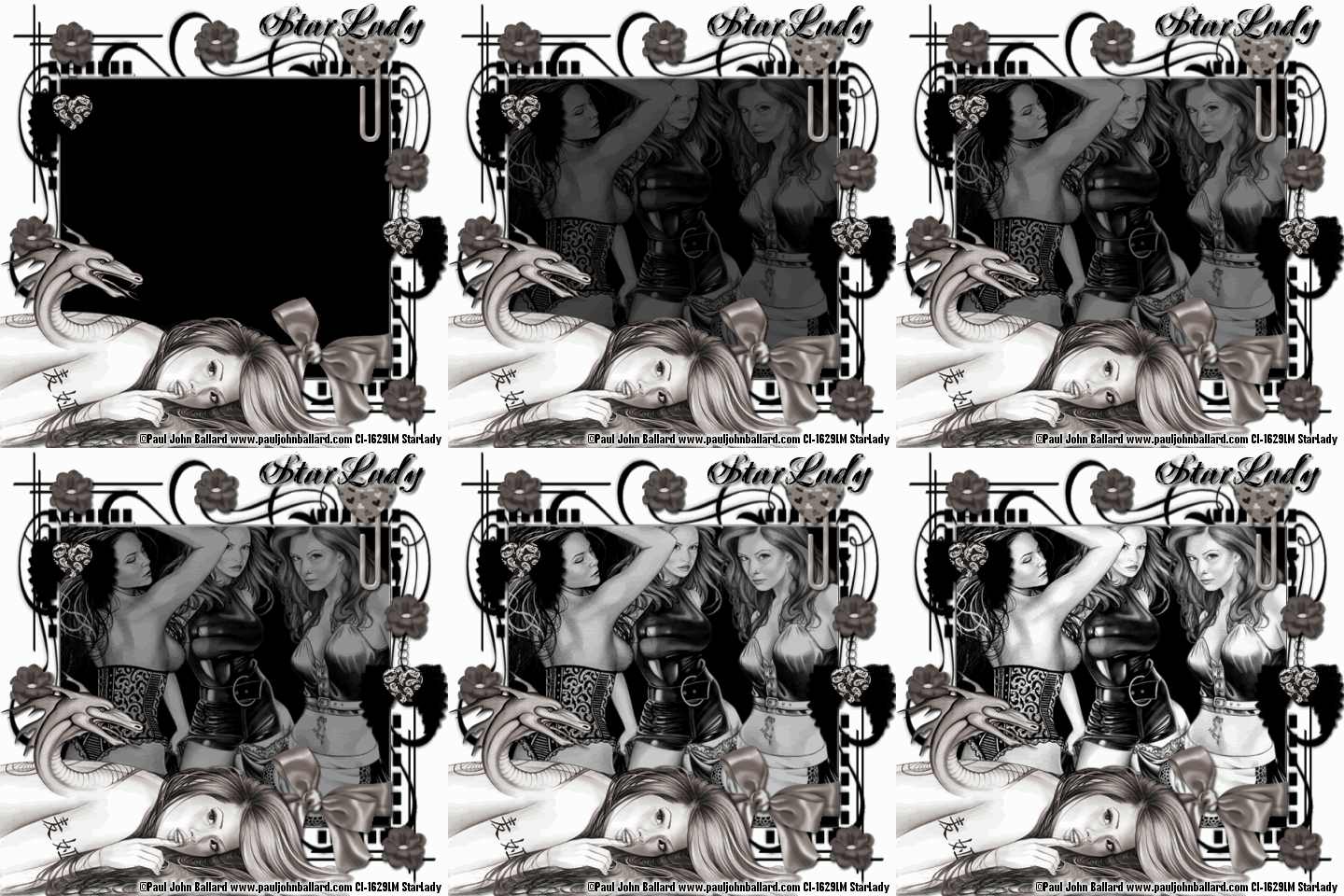
PJ Ballard Crush


Click on tag to see full size
This tutorial is written for those with working knowledge of PSP.

I used PSP 9 for this tutorial, but it could be done with other versions I'm sure.

~Supplies you will need~
4 tubes of choice – I used the awesome work of Paul John Ballard. Please do not use his work without a license from C.I.L.M .

Mask 63 by Zuzzanna –You can get the Mask HERE about half way down the page. Thank you Zuzzanna!

Scrap Kit –Girly Crush “Freebie Add On” HERE at Candy’s Treat blog. Thank you!

Font of choice

~Okay Let’s get started~

Don’t forget to rename layers as you go
You might want to Adjust > Sharpen after you resize anything you need to.
Open and minimize mask in PSP
Open a 600 x 600 transparent image (we will resize later)
Flood Fill with white
New Raster Layer > Flood Fill with Black
Layers > New Mask Layer > From Image (Source Luminance & Invert Mask Data checked)
Layer Palette > Delete Mask Layer > Merge > Merge Group
Grab 3 tubes you would like to use > Copy and Paste As New Layers
Position & resize as you like over the “Big Square” of the mask
Merge > Down all of the tubes > X-Out “3 Tubes” layer for now
Use your Rectangle Selection tool to select the “Big Square”
Activate & un-X “3 Tubes layer” > Selections > Invert > Hit Delete on your keyboard
Selections > Select None
While still on the “3 Tubes” Layers -Adjust > Hue & Saturation > Colorize > Hue doesn’t matter, Saturation 0.
Copy & Paste “Wrapped Bow 2” from the scrap kit > Resize by 60 > Add a drop shadow
Position so that it looks like it “wraps” around the mask
Copy & Paste “Paper Clip 5” from the scrap kit > Resize by 60
Position as on my tag, use the Eraser to erase part of the paper clip to make it look “clipped” onto the mask- add a drop shadow
Copy & Paste “featherwingsCharm3” from the scrap kit > Resize by 60 –add a drop shadow
Duplicate and position as on my tag.
Copy & Paste “flower 14” as new layer > Add a drop shadow > Duplicate as many times as you like and position around the tag
Copy and Paste the 4th tube (main tube) as a new layer –at the top of the layer palette, resize if needed and position on your tag
X- out the white background, Mask, 3 background tubes, and the main tube
Merge > Merge Visible all of the “Elements” left on the tag
While still on the “Elements” Layer -Adjust > Hue & Saturation > Colorize > Hue doesn’t matter, Saturation 19.
Un-X all layers and repeat Colorize on the Main tube
From top to bottom in the layer palette you should have –Main Tube, Elements, 3 Tubes, Mask and White Background
Image > Resize –ALL by 80%

~Have Animation Shop open~
Activate the “3 Tubes” layer > Opacity to 0, Edit > Copy Merged in PSP, Right Click on workspace in AS > Paste as New Animation
Back to PSP - 3 Tubes Layer > Opacity to 20, Edit > Copy Merged in PSP, Right Click the on tag in AS > Paste > After Current Frame
Back to PSP - 3 Tubes Layer > Opacity to 30, Edit > Copy Merged in PSP, Right Click the on tag in AS > Paste > After Current Frame
Repeat – Increasing the Opacity by 10 each until you have pasted the last layer (opacity at 100) (total 10 frames)
In AS - Edit > Select All, Animation > Frame Properties change to 25, View Animation –the 3 tubes should fade in nicely.
Back to PSP- write out copyright credits, Edit > Copy, In AS Right Click on the workspace-Paste As New Animation, Edit > Copy-credits, Make sure to hit the Propagate Paste button in the tool bar, Right Click on your tag –Paste > Paste Into Selected Frame
Save the Blank as a GIF
Back to PSP- write out your name, Edit > Copy, In AS Right Click on the workspace- Paste As New Animation, Edit > Copy-name, Right Click on your tag –Paste > Paste Into Selected Frame
Save as a GIF.

DONE I hope you enjoyed this tut
If you have any problems please feel free to e-mail me at: starladystudio@bellsouth.net
HUGS StarLady

Rocky Balboa ; World Trade Center

This morning, amongst other things, I got a chance to watch most of "World Trade Center" and "Rocky Balboa" on Showtime which we are getting 6 months free as Hurricane Support from Direct TV.

When it comes to "World Trade Center" I was rather bored with it. I understand it was a made as a contribute to 911, but as movies go I was bored. I am not even worried about catching the rest of it. It was coming back on right after "Rocky Balboa". I am watching "Erin Brockovich" now while typing this.

On the other hand, "Rocky Balboa" was pretty good. I thought it was going to be a disappointment, but to my surprise it wasn't. It was a very heartfelt side of "Rocky". All that I ask is, as much as I LOVE all the "Rocky" movies enough, is enough. This movie was a prefect way to end the series. Applause to Sylvester Stallone and everyone who made the movie what it turned out to be.

Okay back to my tag and tutorial. HUGS to all StarLady

Sunday, November 2, 2008

Movies

On our (Ray, his dad, mom and I) way back from picking satsumas (click HERE to see more about Satsumas) at about 12 noon, we stopped off at Movie Gallery . We rented Anacondas 3, Iron Man, The Happening, Defidently, Maybe . Ray and I decided to stay and watch a few of the movies at their house.

Anacondas 3 in my opinion was just made for anyone involved to make a quick buck because the first 2 went over so well. It sucks, the snakes are clearly computer animated. There was no thought process involved in "trying" to made them real. This is all aside from the storyline and structure are old and tired. I would recommend NOT wasting your time on this one.

Iron Man surprised me. It was actually a pretty awesome movie. I have never read the comic books in which the storyline was derived, and maybe that is why I liked it more than someone who follows the Iron Man comics. Diffidently worth the time spent watching it.

I haven't had the chance to finish watching The Happening (which seems to be strange so far). I have not watched Defidently, Maybe yet.

While I am on the subject of movies, I do rent movies from Netflix which for the most part cuts way down on the money we would spend otherwise on renting movies. The latest movie I rented was 300. Sure it have been around a lil' while, but hey it was a great movie! In a nut shell it is about 300 Spartan soldiers and the Spartan King fighting a war against the Persian army. I think it is more of an "acquired taste" kind of movie, but seeing as I normally don't like war movies maybe that says something about the movie.

Saturday, November 1, 2008

For a boy and his family

One of Ray's good friends (that he works with) told him yesterday that on the night of the 30th (October) her cousin was killed by his Step-Dad.
Her cousin rode with his Mom and Step-Dad to a Family Dollar store here in town. Well his Step-dad had been known to beat on his Mom, so we are all wondering if the boy rode with them to protect his mom. The boy's mom and step-dad were fighting about something and the boy kinda jumped in to defend his mom. At this time they were in the parking lot of the store. His step-dad got out of the car and opened the back door to get at the boy. Well, the boy kicked his step-dad. His step-dad pulled out a knife and stabbed him. Apparently he knew what he was doing because he stabbed him in the naval and cut him all the way up to his chest and twisted the knife and pierced the boys heart. His mom didn't even have time to complete a a call to 911 for the boy was dead from the injuries and lose of blood. The step-dad ran off. The cops caught him, but he is only being charged with 2nd degree murder because the step-dad claims he was only defeating himself. But everyone is wondering if maybe the step-dad had the knife on him because he had intended on killing the mom, but since the boy rode with them HE got killed instead. The boy was only 17 years old.

I can't imagine what the boy's mom is going through and will probably blame herself for the rest of her life. Ray's friend at work is devastated as well.

That is horrifying...that is only stuff I have seen in movies!
Photobucket